Line length — the measure, in traditional terms — is the width of a column of text counted in characters. The 2005 edition recommended 55–65 characters per line, roughly ten to twelve words, and warned that screen reading was more fatiguing than print, so shorter lines and smaller paragraphs were safer. Of everything in the original research, this recommendation has held up best. The typographic consensus on comfortable measure has been stable for over a century of print practice and has been repeatedly reaffirmed for screens. What changed is not the number but the machinery around it: the web now has units that express measure directly, standards that bound it, and viewports the original could not have imagined.
What Changed Since 2005
In 2005, constraining line length meant fixed pixel widths guessed from an average character. Modern CSS expresses measure in the text's own terms: the ch unit equals the advance width of the zero glyph in the current font, making it a serviceable proxy for average character width. A single declaration — max-width: 65ch — encodes this chapter's core recommendation, and it automatically adapts when the font, size, or user preference changes. This is the single most useful line of accessibility-adjacent CSS a designer can write. Note that ch is an approximation: a 65ch column typically yields a bit more than 65 actual characters in proportional text, since the zero is wider than average. Treat it as a target, not a guarantee, and check real paragraphs.
Standards now bracket the range. WCAG's Success Criterion 1.4.8 Visual Presentation (Level AAA) specifies that a mechanism must be available so blocks of text are no more than 80 characters wide (40 for CJK scripts). Eighty is a ceiling, not a target — the criterion defines where readability harm becomes an accessibility concern, while the 55–65 zone remains where comfort peaks. A column that maxes out around 65–70ch satisfies both the guideline and the older craft consensus.
The other new constraint runs in the opposite direction. Success Criterion 1.4.10 Reflow (Level AA, WCAG 2.1 and 2.2) requires that content reflow to a 320 CSS-pixel-wide viewport — equivalent to a desktop page zoomed to 400% — without two-dimensional scrolling. In 2005 the risk was lines too long; in 2026 an equal risk is layouts that refuse to get short. Fixed-width columns, side-by-side layouts that never stack, and elements with rigid minimum widths all force horizontal scrolling at 320px, which is both a conformance failure and a genuine barrier: reading text that requires scrolling sideways on every line is among the most punishing experiences low-vision users report. At 320px with 16px body text, lines run around 30–40 characters. That is below the comfort zone, and it is fine — short lines slow reading slightly but do not break it, whereas horizontal scrolling breaks it completely. Design the measure as a maximum, never a minimum.
Why the Range Works
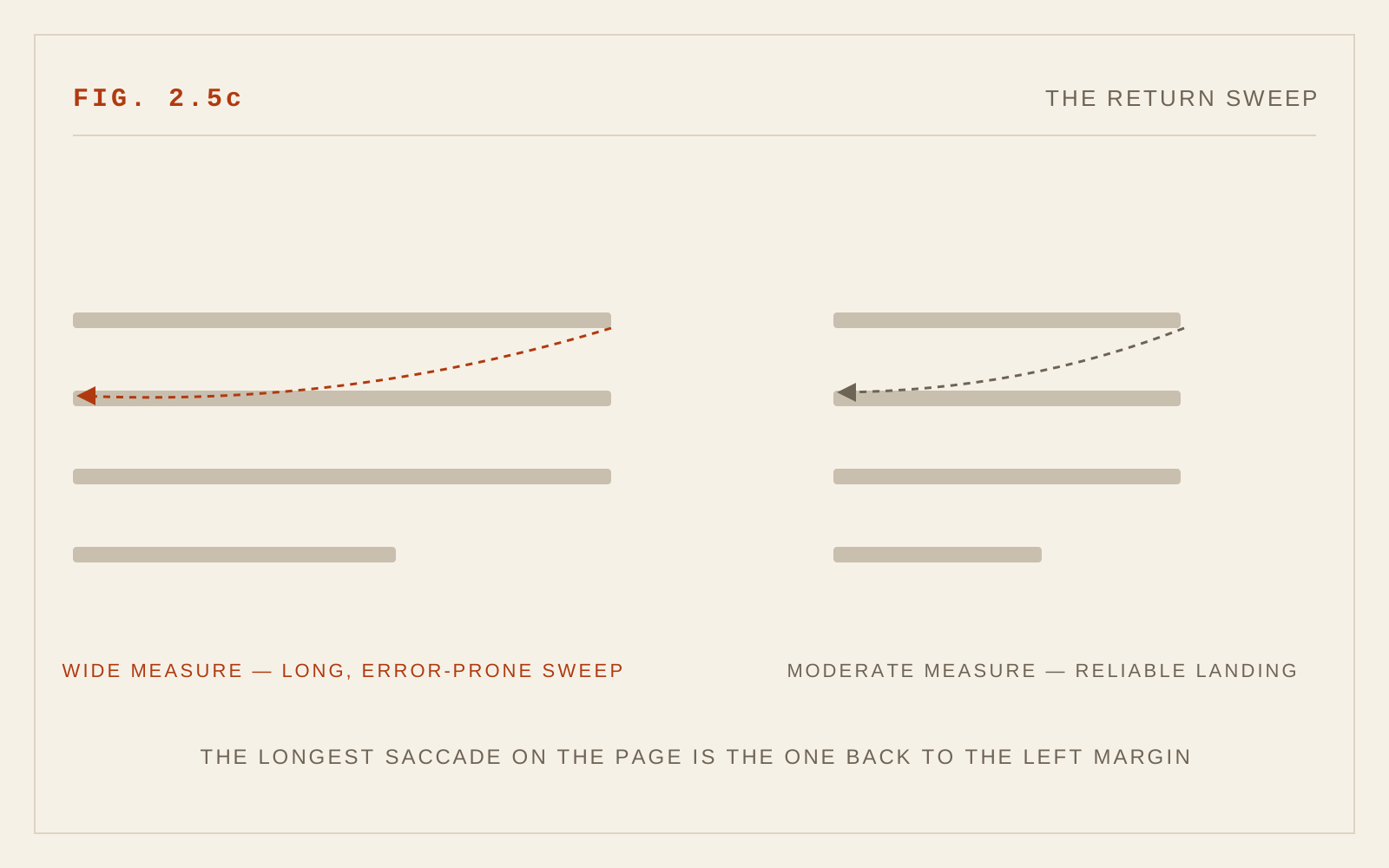
The stability of the 55–65 recommendation reflects the mechanics of reading. Long lines lengthen the return sweep — the eye's leap back to the start of the next line — and increase doubling errors, where the reader lands on the wrong line; they demand extra leading to compensate. Very short lines break too few words into each fixation's preview, force constant line changes, and chop phrases against their grammatical structure. Legibility research complicates the picture in an interesting way: some screen studies have found that longer lines can produce faster reading speeds, presumably by reducing the number of costly return sweeps — yet readers consistently prefer and rate moderate lines as more comfortable, and comfort governs whether people keep reading. For sustained reading, preference and reduced fatigue argue for the moderate measure, and that is what this chapter continues to recommend.
The interdependence with leading, covered in the previous chapter, bears repeating as one rule: if the measure must run long, add line height. A 75-character line at line-height 1.6 remains readable; the same line at 1.3 invites doubling.
Responsive Measure in Practice
The modern pattern combines three ingredients. A content column with max-width around 60–70ch establishes the ideal measure on large screens. Fluid horizontal padding lets the column breathe down to narrow viewports without ever inducing horizontal scroll. And if fluid type is in play — font sizes scaling with the viewport via clamp() — remember that measure is counted in characters, not pixels: because ch tracks the font size, a ch-based max-width grows with the type and keeps the character count roughly constant, which is precisely the behavior you want.
One reversal from the original text: the 2005 edition advised avoiding hyphenation in body text. With ragged-right setting at generous measures, hyphenation is indeed unnecessary. But at the narrow measures that reflow requires, long words in unhyphenated text create gaping rags or overflow entirely. Enabling hyphens: auto (with the correct lang attribute set, since hyphenation is dictionary-driven) is now good practice for body text that must survive narrow columns. Pair it with text-wrap: pretty where supported for better break decisions.
Finally, the original's advice on paragraph length still holds and has grown teeth: shorter paragraphs aid the wayfinding that screen readers, skimmers, and readers with attention or memory difficulties all rely on. WCAG 1.4.12 additionally expects content to tolerate user-increased paragraph spacing, so avoid layouts that assume paragraphs pack to an exact height.
In CSS
article {
  max-width: 65ch;        /* 45–75 characters; ~65 is the sweet spot */
  margin-inline: auto;
  padding-inline: 1rem;   /* fluid gutter at every width */
}

/* Test at a 320px viewport: no horizontal scrolling (WCAG 1.4.10) */
Recommendations
- Target 55–65 characters per line for body text; treat 80 as the outer limit per WCAG 1.4.8.
- Implement measure with max-width in ch units (roughly 60–70ch) on the content column.
- Ensure content reflows at a 320px viewport with no horizontal scrolling (WCAG 1.4.10); never set a minimum measure.
- Increase line height when the measure runs long; the two settings are one decision.
- Enable hyphens: auto with a correct lang attribute so narrow columns break cleanly, and add text-wrap: pretty where supported.
- With fluid type, keep measure in character-relative units so line length stays stable as font size scales.
- Keep paragraphs short; verify layouts tolerate increased paragraph spacing under WCAG 1.4.12.