Reading is a motor act. The eye does not sweep smoothly along a line; it jumps in saccades and lands in fixations, and comprehension happens in the landings. Anything that moves on the page competes for those landings. Motion is the strongest attention signal the visual system has — an evolutionary alarm that cannot be switched off by willpower — which is why animated elements near text are so corrosive to reading, and why text that itself moves is barely readable at all.
The modern web is saturated with motion: entrance animations, parallax scenery, scroll-triggered reveals, auto-advancing carousels. Some of it is craft. Much of it is decoration at the reader's expense. And for one group of readers, it is worse than distraction.
Vestibular Disorders: Motion as Harm
For people with vestibular disorders — conditions of the inner ear and balance system — on-screen motion can trigger dizziness, nausea, vertigo, and headaches that persist long after looking away. The triggers are specific and well described by affected users: large elements sliding across the viewport, zooming and scaling effects, parallax layers moving at different speeds, and scroll-linked animation that decouples what the eye sees from what the hand did. This is not annoyance; it is a physical reaction, closer to motion sickness than to distaste. A page can make a reader ill.
WCAG addresses this in 2.3.3 (Animation from Interactions): motion animation triggered by interaction should be disableable unless the animation is essential. It is a AAA criterion, which understates its importance — for the affected population, this is not an enhancement but the difference between usable and unusable.
The Reader's Switch: prefers-reduced-motion
Every major operating system now offers a "reduce motion" setting, and the prefers-reduced-motion media query exposes it to stylesheets and scripts. Honoring it is a hard requirement of responsible practice, not a progressive enhancement, for a simple reason: the people who set it did so because motion harms them. Ignoring the setting is ignoring a stated medical accommodation.
Honoring it well means more than switching animations off:
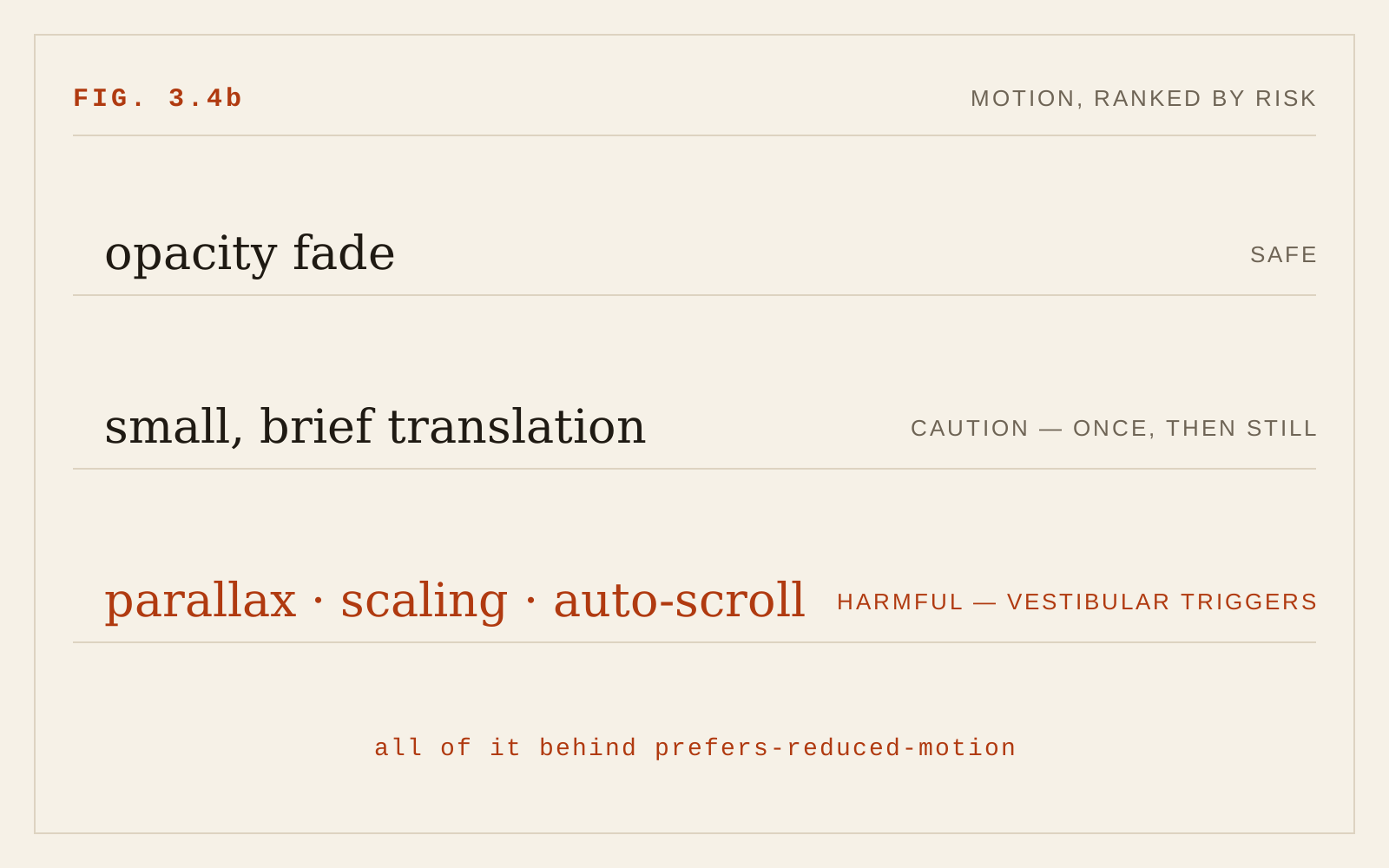
- Replace movement with opacity. A fade communicates "this appeared" without translating anything across the screen; cross-fades are broadly tolerated where slides and zooms are not.
- Disable parallax and scroll-linked effects entirely under reduced motion — there is no reduced version of parallax worth keeping.
- Apply the preference in JavaScript-driven animation, not just CSS; the media query is queryable from script, and animation libraries can be gated on it.
- Do not interpret "reduce" as "remove all state change." Instant transitions can be disorienting too; the goal is eliminating gratuitous spatial motion, not feedback.
Moving Text Is Unreadable Text
Text that scrolls, ticks, slides, or blinks defeats the saccade-and-fixation machinery outright. Readers with low vision, readers using magnification (for whom a moving target may exit the magnified region mid-word), readers with dyslexia or attention difficulties, and readers who simply read slowly are all disproportionately punished: the text leaves before they finish it.
WCAG 2.2.2 (Pause, Stop, Hide) — a Level A criterion, the lowest and least negotiable tier — requires that any moving, blinking, or scrolling content that starts automatically and lasts more than five seconds have a mechanism to pause, stop, or hide it. The most common offender by far is the auto-advancing carousel, especially one carrying text. A carousel that rotates on a timer guarantees that some readers never finish a slide; the "pause" control, when present at all, is routinely tiny, unlabeled, or discoverable only after the frustration it should have prevented. If content matters, it deserves stillness. If it rotates automatically, the design has already conceded it does not matter — and it should advance only under the reader's control.
Scroll-triggered text effects deserve particular suspicion: paragraphs that fade in as they enter the viewport, headlines assembled letter-by-letter, text pinned while backgrounds scroll. Each inserts an animation between the reader and the words. The reader arrived to read; make the words be there.
Motion That Respects Reading
None of this argues for a static web. Motion has legitimate work: indicating that an action registered, showing where a dismissed panel went, drawing the eye to a change it would otherwise miss. Motion in that service is brief, small, infrequent, and never applied to body text. A useful set of tests:
- Does the motion convey something the reader needs, or decorate something the designer likes?
- Is it near or on text someone is currently reading?
- Does it run once, briefly, or does it loop?
- Does it respect
prefers-reduced-motioncompletely?
Why This Chapter Is New
The first edition predated the conditions that make this chapter necessary. In 2005, CSS could not animate; serious motion required Flash, and its accessibility conversation centered on blinking and seizure risk, not vestibular harm. The prefers-reduced-motion query did not appear in browsers until 2017, WCAG 2.3.3 arrived with version 2.1 in 2018, and the scroll-triggered, animation-saturated house style of the modern web is younger than that. Motion became cheap; the discipline of restraint is what these guidelines can now add.
In CSS
/* Default: entrance combines movement and fade */
.reveal {
  animation: slide-fade-in 300ms ease-out;
}

@keyframes slide-fade-in {
  from { opacity: 0; transform: translateY(1rem); }
  to   { opacity: 1; transform: none; }
}

/* Reduced motion: keep the fade, drop the movement */
@media (prefers-reduced-motion: reduce) {
  .reveal {
    animation: fade-in 200ms ease-out;
  }

  @keyframes fade-in {
    from { opacity: 0; }
    to   { opacity: 1; }
  }
}

/* Coarse safety net for unaudited animation — a last
   resort, not the practice; it also removes the fades
   and feedback worth keeping */
@media (prefers-reduced-motion: reduce) {
  *, *::before, *::after {
    animation-duration: 0.01ms !important;
    animation-iteration-count: 1 !important;
    transition-duration: 0.01ms !important;
    scroll-behavior: auto !important;
  }
}
Recommendations
- Honor
prefers-reduced-motioneverywhere — CSS and JavaScript — as a hard requirement. - Under reduced motion, replace slides and zooms with fades; remove parallax and scroll-linked effects outright.
- Never animate body text. Reading and motion are enemies.
- Meet WCAG 2.2.2: anything auto-moving for more than five seconds needs a visible pause, stop, or hide control.
- Avoid auto-advancing carousels for meaningful content; if one exists, let the reader drive it.
- Keep purposeful motion brief, small, and non-looping, and keep it away from text being read.
- Test key pages with the OS reduce-motion setting on; treat any surviving spatial animation as a bug.